
Only the sites you allow
The admin fills in the address list in Settings, for example the POS, attendance, or an internal portal. Other addresses show a "not allowed yet" page and are logged, so you know which sites people tried to open.
 Elang Navigator
 Cashier, office, and lab computers often end up on social media or video sites. Work gets interrupted and the office internet slows down. Elang Navigator is a free browser that only opens the addresses you choose. Other addresses are refused right away and logged, so you know which sites people tried to open.
Windows 10 / 11 (64-bit) · version 1.5.0 · 93 MB installer
Need help installing on many computers? See installation help →
The images below are real screenshots of Elang Navigator. Bookmarks sit in the middle of the header, built-in tools on the right, along with today’s time and date.
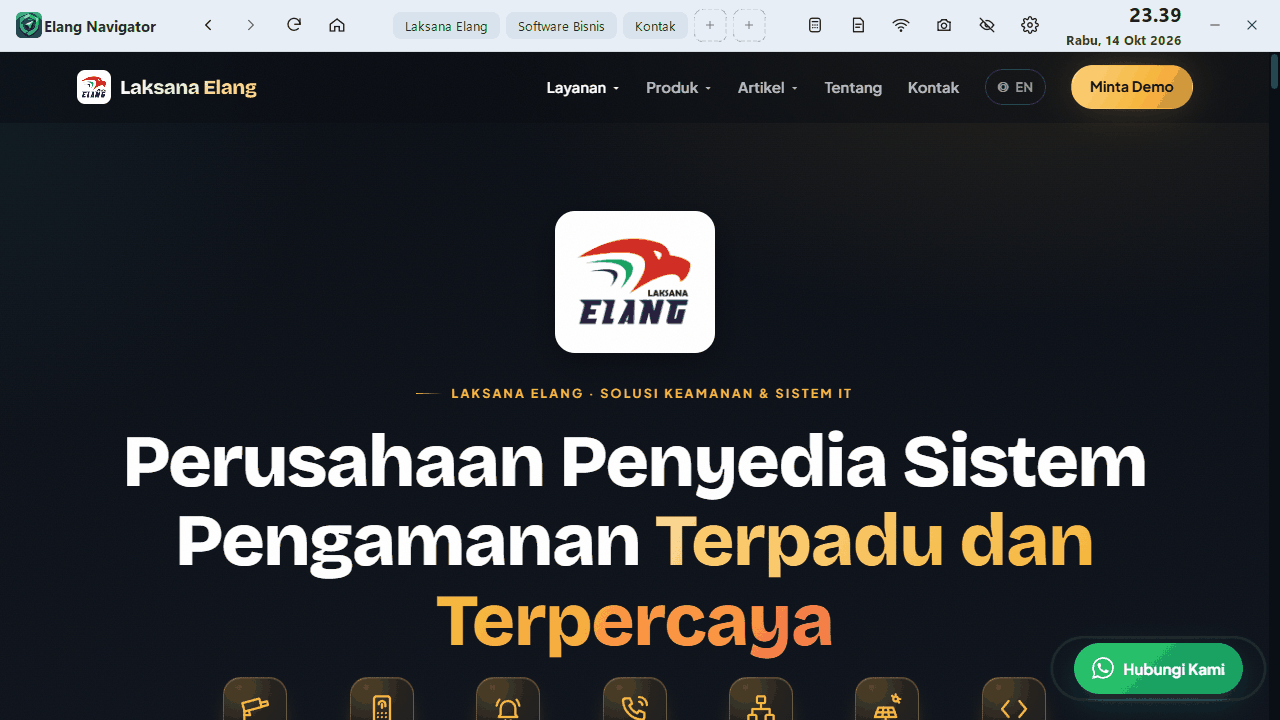
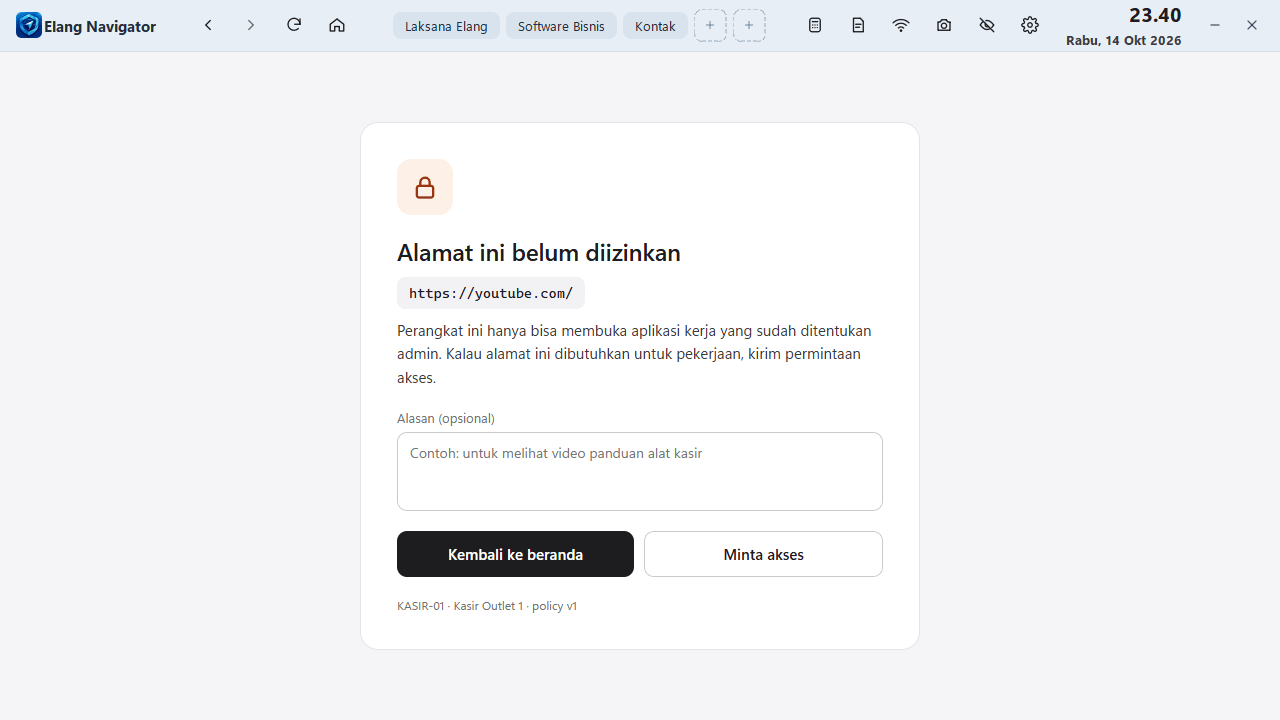
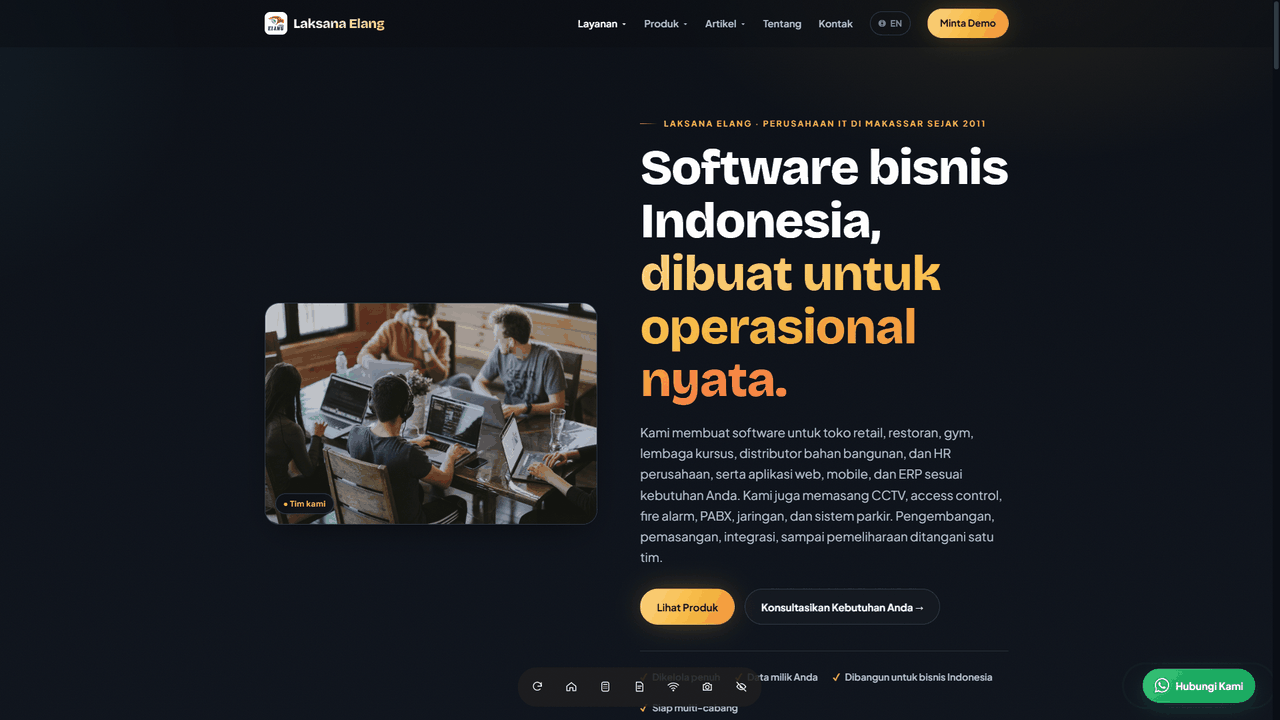
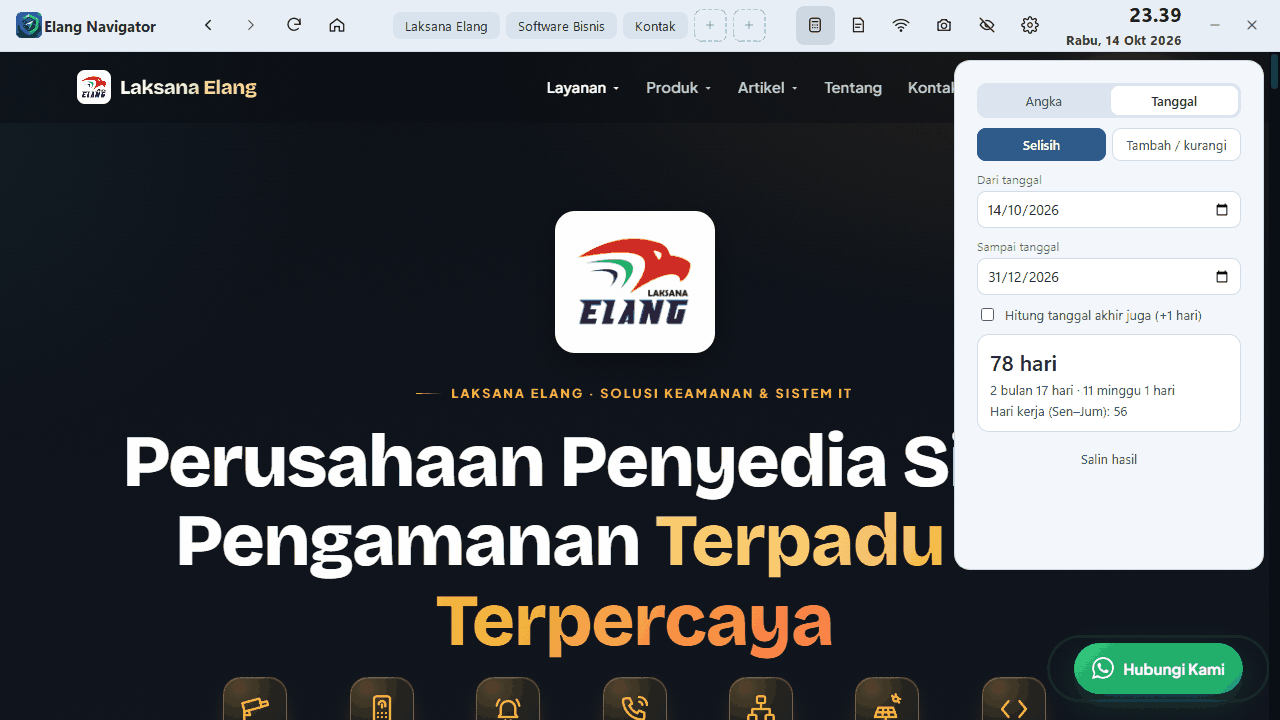
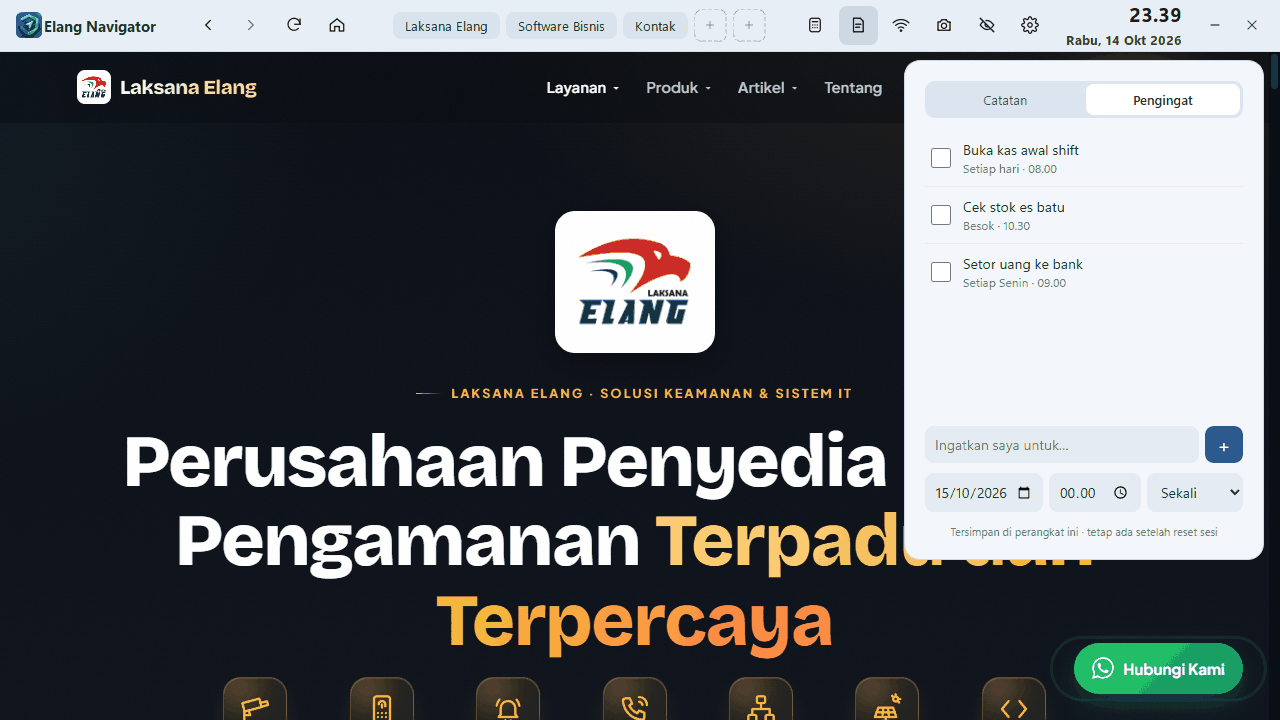
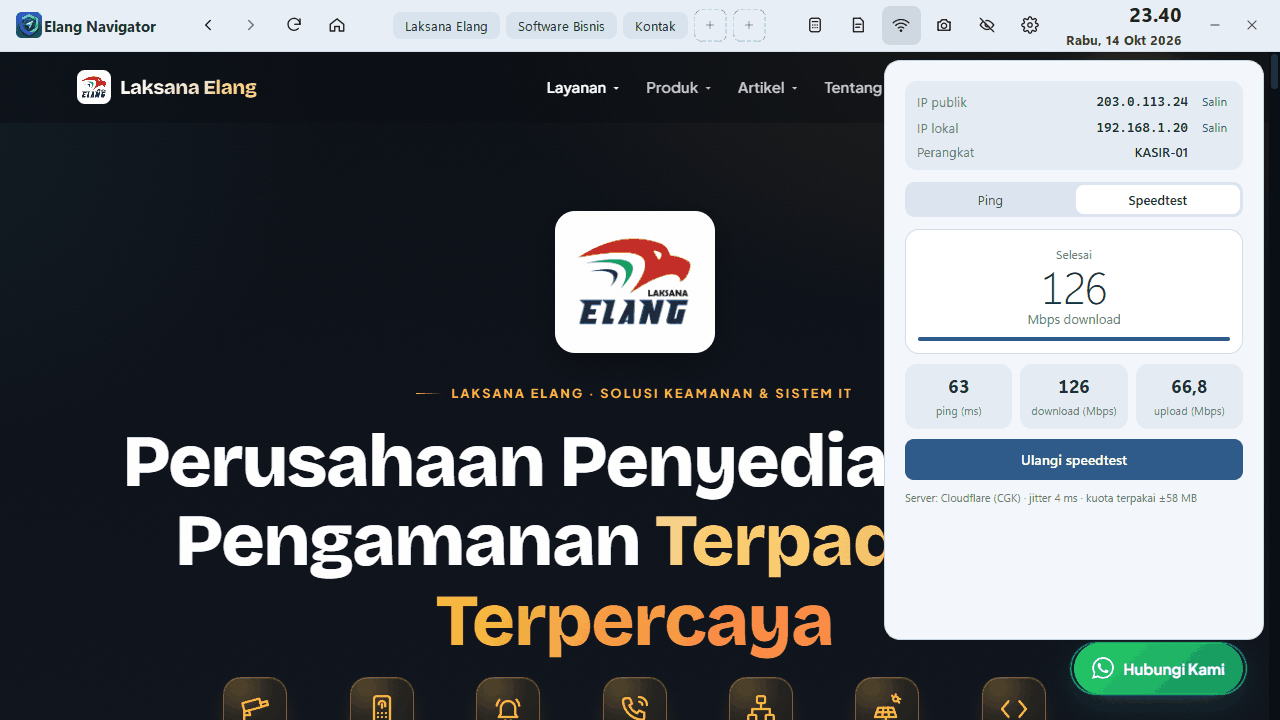
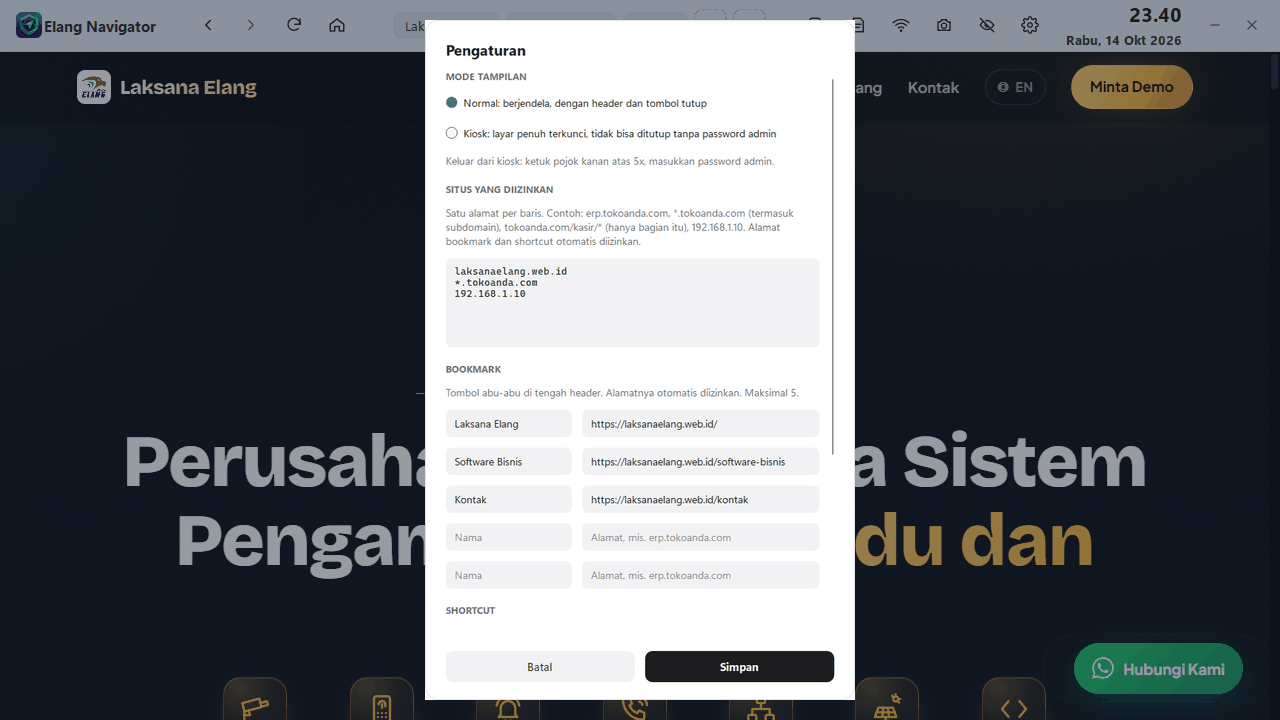
Blocking sites on the router usually means a long block list that new sites still slip past. Elang Navigator turns it around: only work sites open, everything else is refused.
The admin fills in the address list in Settings, for example the POS, attendance, or an internal portal. Other addresses show a "not allowed yet" page and are logged, so you know which sites people tried to open.
Elang Navigator is built on Chromium, the web engine also used by Google Chrome and Microsoft Edge. Modern web apps such as POS, ERP, and dashboards look and work normally.
No extensions, ads, or account sync, so the interface stays simple and easy to use. Filtering runs on the computer itself, so your router or Mikrotik does not need to carry a long block list.
Full screen, the close button and Alt+F4 do nothing, and leaving requires the admin password. Hidden mode freezes the page when the computer is left for a moment, while the built-in tools keep working.
Staff do not need another app, or a site that is not allowed, for small everyday tasks.
Quick sums with thousand separators and a 000 key. The Date tab works out days between dates, Monday-to-Friday working days, and the date after adding days, weeks, or months.
Shift notes are stored on the computer. Reminders appear on screen right on time, can be snoozed for 10 minutes, and can repeat daily or weekly.
See the public and local IP, ping any address, and run a speed test (ping, download, upload) without opening a speed-test website.
One click saves the page to the Pictures folder and copies it, ready to paste into WhatsApp.
Up to 5 bookmarks and 3 quick buttons in the header. They are set by the admin with a password, and their addresses are allowed automatically.
Up to 4 tabs. Links that open a new window, such as a payment page, open in a new tab so the cashier page is not replaced.
Run the setup on Windows 10 or 11 (64-bit). Choose whether to add a desktop icon and whether the app starts with Windows.
On first launch, create the admin password. It protects Settings, bookmarks, and leaving kiosk mode.
Open Settings (the gear icon), type your work sites one per line, add bookmarks, then choose Normal or Kiosk mode.
Elang Navigator is configured on each computer through Settings. If you look after many computers, the Laksana Elang team can help:
Discuss your needs →We built this app for the cashier and office computers of Laksana Elang customers, then shared it at no cost. We hope you will think of Laksana Elang when your business needs POS, HR, ERP, or CCTV systems.
Open Settings (the gear icon at the top right) with the admin password, then type addresses under "Situs yang diizinkan" (allowed sites), one per line. Examples: yourshop.com (which also covers all its subdomains, such as erp.yourshop.com) or 192.168.1.10 for a local server. Addresses used as bookmarks or shortcuts are allowed automatically.
Modern websites and web apps work normally because Elang Navigator uses the Chromium engine. Fonts, scripts, and images that a site loads from other domains are shown too, so new features on your site do not need to be registered again. Links on an allowed site can also be opened, such as a location on Google Maps. That outside page cannot be used to browse further: links inside it stay blocked, as do other addresses typed directly. Some H.264 videos outside YouTube may not play.
Elang Navigator limits the sites opened inside the app itself. To keep Chrome or Edge from being used, run kiosk mode and restrict apps through Windows settings. The Laksana Elang team can help set this up.
Yes. Links clicked in WhatsApp, email, or documents then open in Elang Navigator and still follow the allowed site list. Tick "Jadikan browser default" (make default browser) at the end of setup, or open Settings and choose Browser default. In the Windows page that opens, select Elang Navigator and click Set default.
Downloads are off by default. The admin can turn them on in Settings, under Unduhan (downloads). Files are saved to the Downloads\Elang Navigator folder, and progress shows at the bottom of the screen until the download finishes.
From version 1.2.0, Elang Navigator checks for new versions on its own. When one is available, a "Perbarui" (update) offer appears at the bottom of the screen. The admin enters the password, and the app downloads and installs the update, then opens again. In kiosk mode the offer sits in the Settings menu so customers do not see it.
Tap the top-right corner of the screen 5 times, then enter the admin password. Choose "Keluar sementara dari kiosk" (leave kiosk temporarily), or open Settings (Pengaturan) and choose Normal mode. The app interface is in Indonesian.
In the password box, click "Lupa password?" (forgot password). The screen shows a device code. Contact the Laksana Elang team on WhatsApp with that code to get a reset code, then create a new password.
No. The site list, bookmarks, notes, reminders, and settings are stored on your computer. To show the public IP, the app contacts the ipify service, and the speed test uses Cloudflare servers.
The current version is for 64-bit Windows 10 and 11. If you still use 32-bit Windows or Windows 7, contact us to discuss your needs.
Windows SmartScreen may show a warning for apps without a digital signature (code signing). Choose "More info", then "Run anyway". Always download the app from the official Laksana Elang website.
Download Elang Navigator, create an admin password, and fill in your work sites in a few minutes. Need help installing it on many computers? The Laksana Elang team is ready to help on WhatsApp.
Talk to Us on WhatsApp: WhatsApp →